The SCSI Film Scanner Resurrection
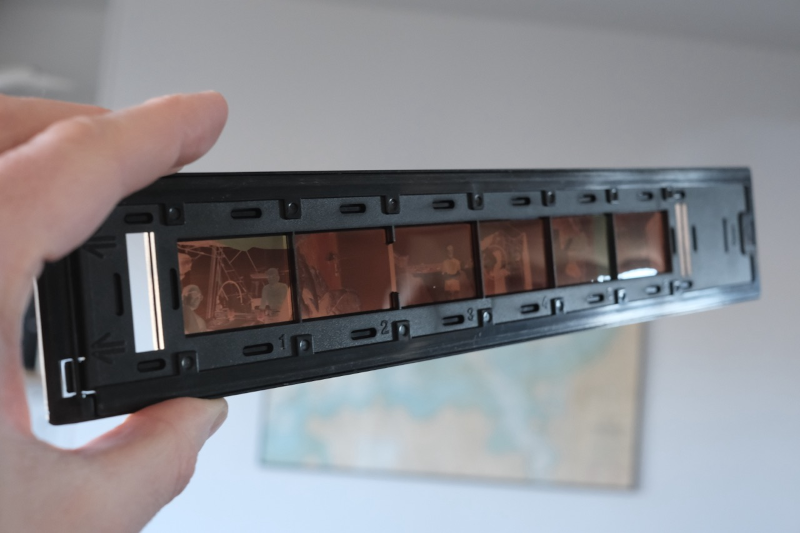
[Ronan] likes 35mm film photography, but the world, of course, has gone digital. He picked up an Epson FilmScan 200 for about €10. This wonder device from 1997 promised to convert 35mm film to digital at 1200 DPI resolution. But there was a catch: it connects via SCSI. Worse, the drivers were forever locked to Windows 95/98 and Mac System 7/8.
In a surprise twist, though, [Ronan] recently resurrected a Mac SE/30 with the requisite SCSI port and the System 7 OS. Problem solved? Not quite. The official software is a plugin for Photoshop. So the obvious answer is to write new software to interact with the device.
First, of course, you have to figure out how the device works. A service manual provided clues that, as far as the SCSI bus knew, the device wasn’t a scanner at all, but a processor. The processor, though, used SCSI as a simple pipe to handle Epson’s standard “ESC/I” protocol.
Armed with that information and a knowledge of the Mac’s SCSI Manager API, the rest is just coding. Well, that is until [Ronan] tried to scan the other five negatives in the six-negative film carrier. He was frustrated until he found an old patched SANE driver for the scanner from 2002. By looking at how it worked, he was able to figure out how to switch to the other negatives.
Color scanning also took a little coaxing. The scanner returns three monochrome images, one for each color channel. Some assembly, then, is required. In the end, though, the project was a complete success. Can’t find a FilmScan 200? Don’t have a SCSI port? There’s always the roll-your-own approach.


Post Comment